Placemarks
Save your best spots and keep them organized.
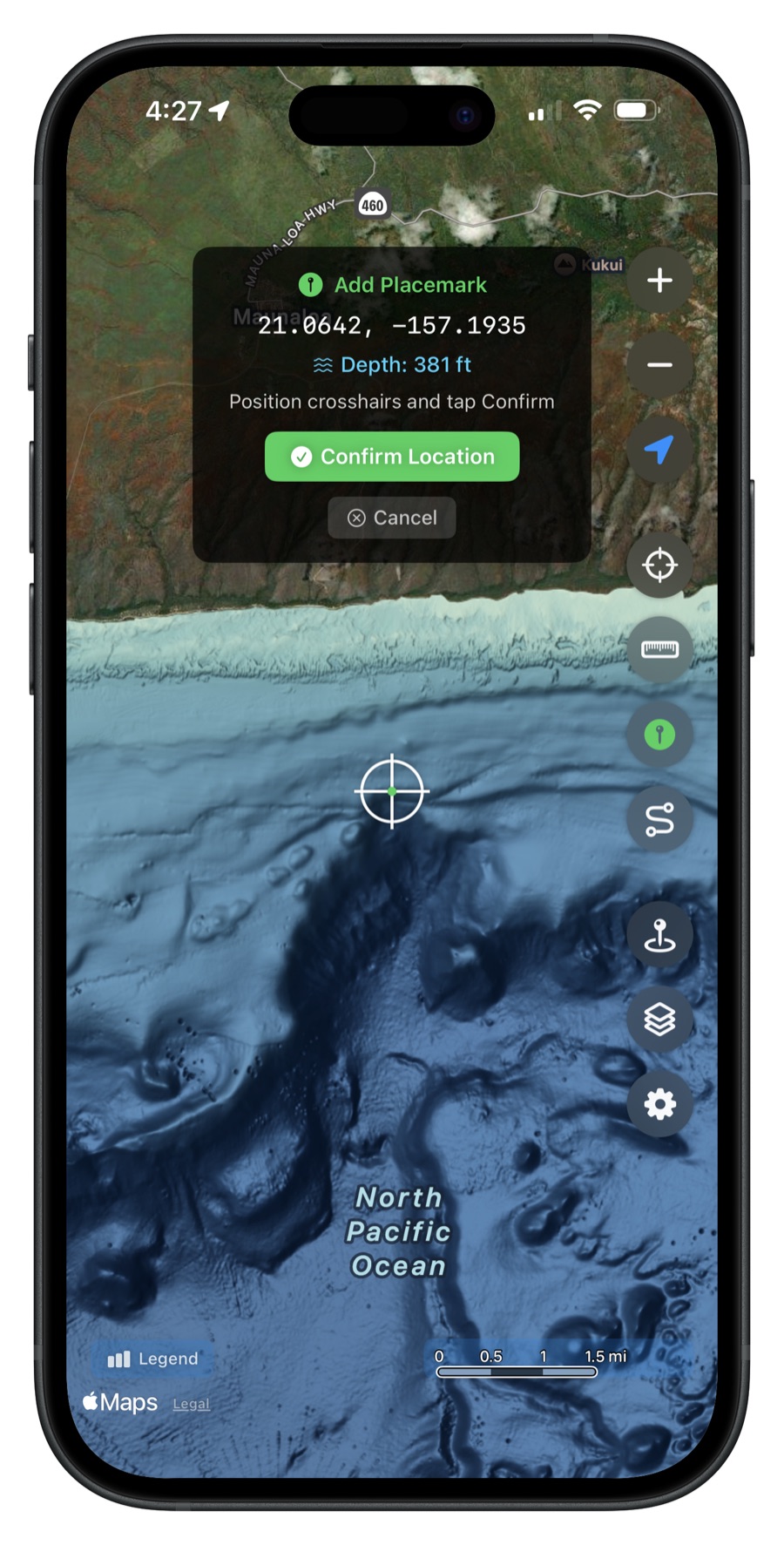
Save Any Location
Drop a placemark anywhere on the map with a single tap. The app automatically records the GPS coordinates and ocean depth at that point. Add a name, description, and choose a color to keep your spots organized.
Organize and Search
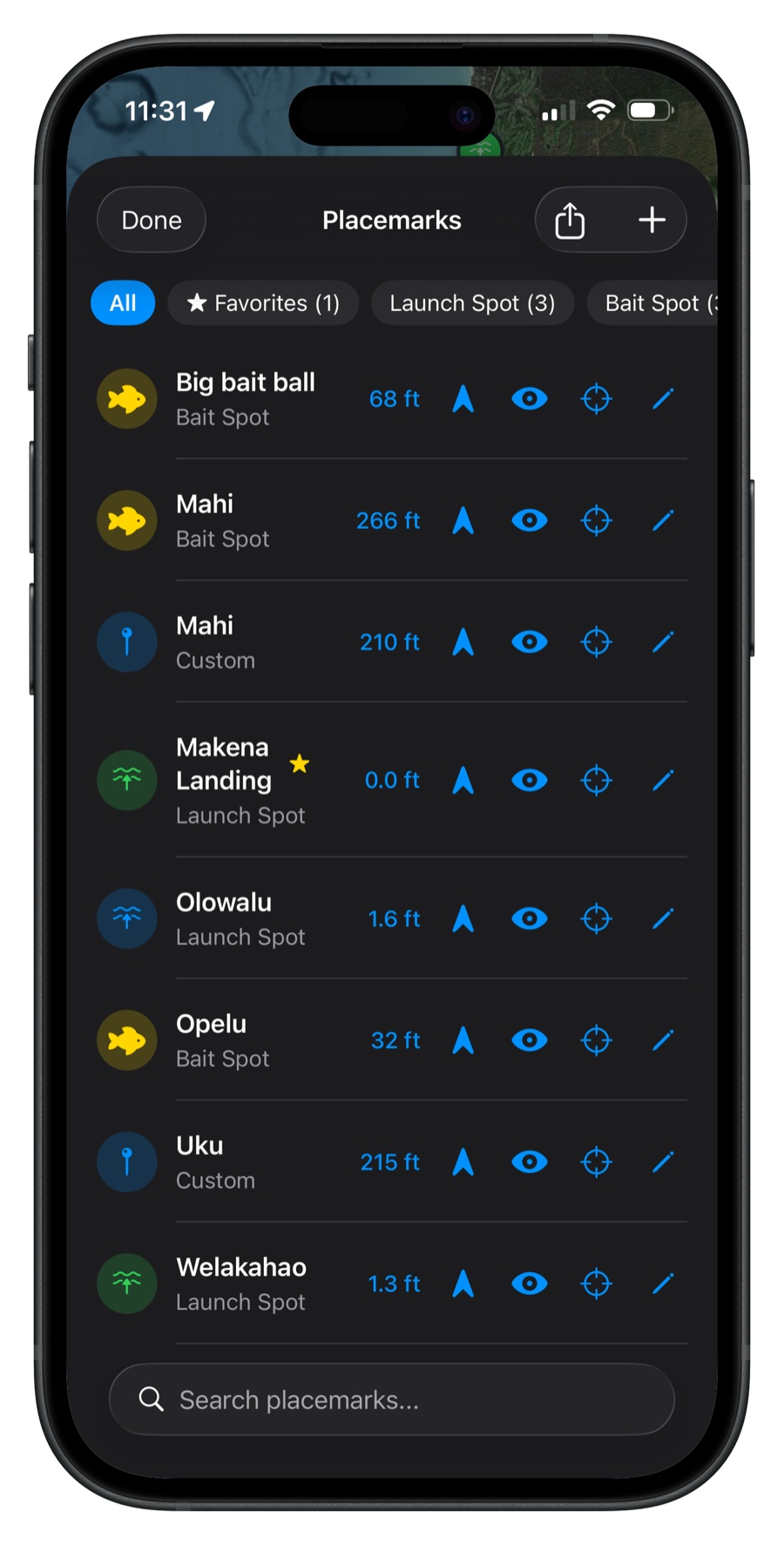
Your placemarks are displayed in a searchable, filterable list showing each spot's name, depth, and coordinates. Sort by name, date, or depth. Filter by category to quickly find what you're looking for.
iCloud Sync
On iOS, placemarks sync automatically across all your Apple devices via iCloud. Save a spot on your iPhone while on the water, and it's waiting on your iPad when you get home. Your data stays in your personal iCloud account -- private and secure.
Android Cloud Sync
On Android, placemarks sync across your devices via Firebase using your Google account. Reinstall the app or switch phones and your saved spots come right back. Sync happens automatically in the background.
Export Your Data
Export placemarks in multiple formats:
- GeoJSON -- for use with mapping tools and GIS software
- CSV -- open in Excel or Google Sheets
Get Hawaii Ocean Map
$9.99 one-time purchase. No subscriptions, no ads.